NHSE Save Editor
An open-source tool created by @kwsch and berichan. NHSE is a New Horizons Save Editor that will allow you to edit a lot of things pertaining to your island, including changing villagers, map editing, adding items, changing your name etc etc.
GitHub: kwsch/NSHE
You can download the latest version here: Get NHSE
Compatible File Types
Section titled “Compatible File Types”See Dumping Save Data.
Expected Structure
Section titled “Expected Structure”Directoryacnh_tools/
DirectoryNHSE/
Directorybak/ # auto-generated if you set up save backups
Directory
IslandName - 2026-05-20 17.28.21/# Save Folder backup- … # See Compatible File Types for file structure
- LibUsbDotNet.LibUsbDotNet.dll
- NHSE.Core.dll
- NHSE.Core.pdb
- NHSE.Injection.dll
- NHSE.Injection.pdb
- NHSE.Sprites.dll
- NHSE.Sprites.pdb
- NHSE.Villagers.dll
- NHSE.Villagers.pdb
- NHSE.WinForms.deps.json
- NHSE.WinForms.dll
- NHSE.WinForms.exe # Main executable
- NHSE.WinForms.pdb
- NHSE.WinForms.runtimeconfig.json
- settings.json # auto-generated after running
Windows Setup
Section titled “Windows Setup”- Download the latest version of NHSE.
- Extract the downloaded archive to a folder on your computer.
- See Expected Structure for file structure
- Open the extracted folder and run
NHSE.Winforms.exe - Once the tool is open, click
Open main.dat Or... Drag & Drop folder here! - You can now edit your Save! When you’re done, save your edited files and test in-game!
Linux-specific Setup
Section titled “Linux-specific Setup”NHSE is Windows software, so we have some additional one-time steps to get it to work on Linux.
 This guide was originally written by @Comfy_Deer
- Feel free to ask questions in the ACNH Modding Hub Fluxer Community if you get stuck somewhere along the process. -🦌
Lutris Installation
Section titled “Lutris Installation”- Go to Discover (or whatever “store” your Distro has)
- Search for Lutris and install the Flatpak version (It’s Flatpak by default on Steam Deck in Discover)
- Get NHSE, of course (Click on
Download Latest NHSE Version. Build no. 9008+ should be what is compatible with v3.0.0) - Extract your NHSE zip file wherever you want it to live.
- I have several folders set up, and I have mine located at
/home/deck/Documents/Nintendo Homebrew/Nintendo Switch RCM Tools/Switch Modding Tools/acnh_tools/NHSE - See Expected Structure for file structure
- I have several folders set up, and I have mine located at
- Once we’re fully installed, let’s open up Lutris (If you just opened for the first time, give it a short amount of time to install dependencies)
NHSE Lutris Setup
Section titled “NHSE Lutris Setup”- Go to the top left corner and click the
+next to the Lutris logo. - Next, we’ll want to Add locally installed game
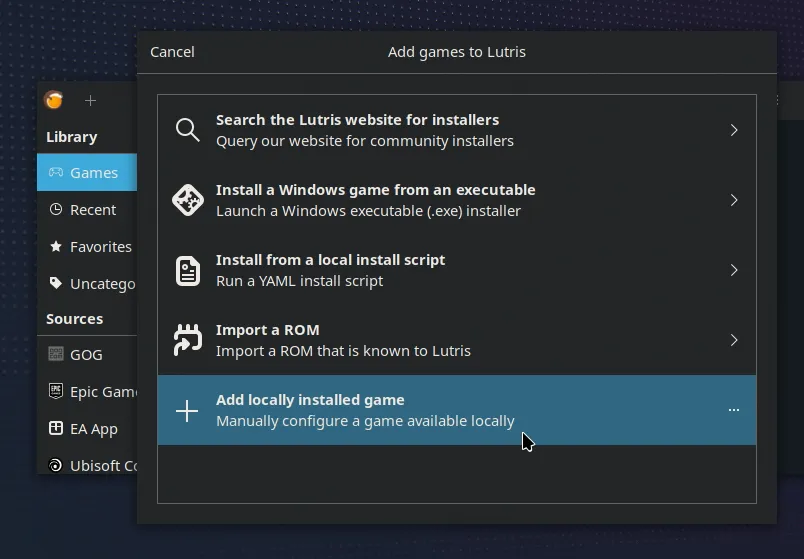
- Set up the Game info tab. At most you’ll need to name the app like
NHSEand Set the Runner to Wine.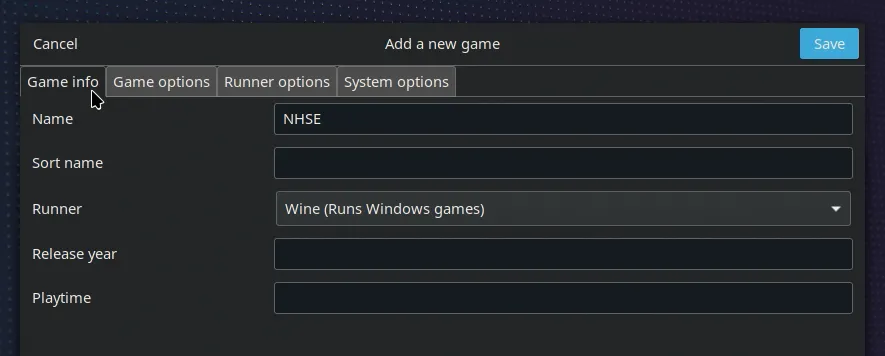
- In Game Options, we’ll want to link the app.
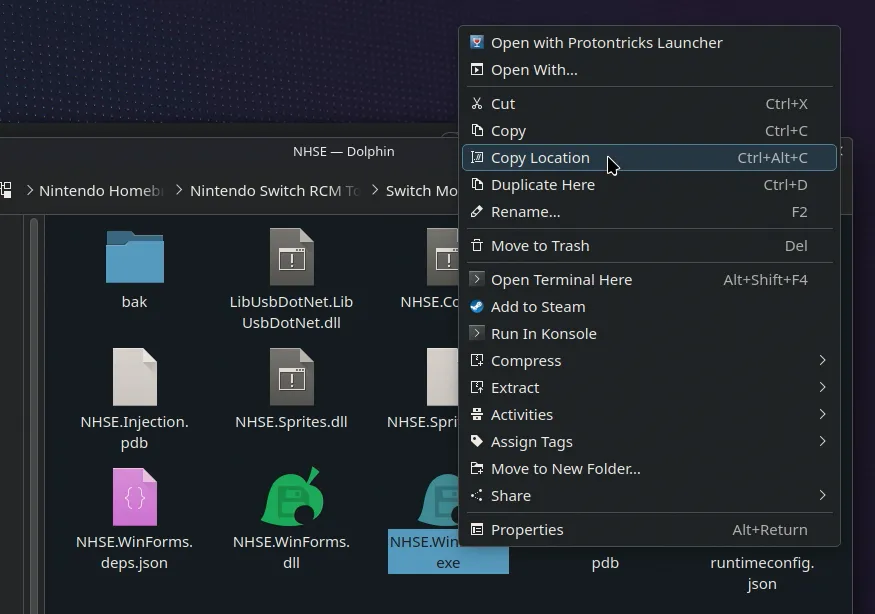
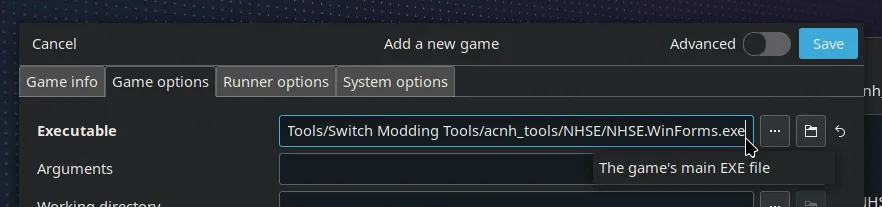
- Set up the prefix location. We can actually use the
...menu for this one. Create a new folder for your prefix.
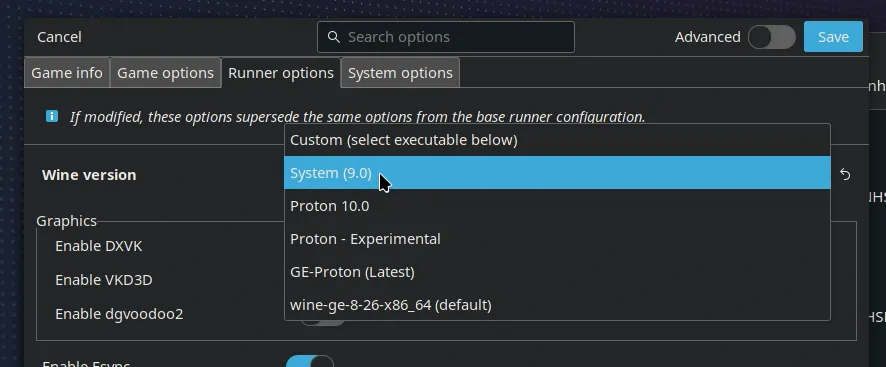
- Let’s also set the Wine version to System, otherwise, we might run into some issues of it not booting. When you’re finished with the setup, click Save!
WinForms Lutris Setup
Section titled “WinForms Lutris Setup”- You will probably get this error.
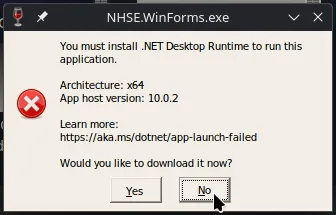
- We’re going to say No (I’ve tested and Yes doesn’t really do anything)
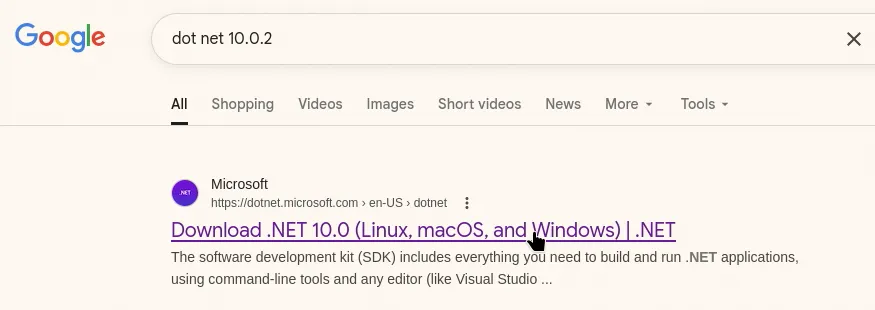
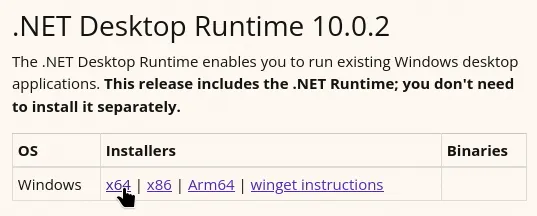
- Look up that specific version online and download it. Make sure it’s the Windows Desktop Runtime being downloaded. Luckily, that only has the type to choose from.
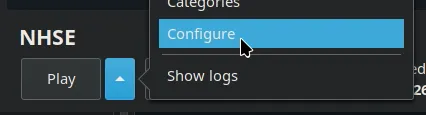
- Right click on your NHSE entry and go to Configure
- Go to wherever your download of Windows Desktop Runtime went. We’ll have to temporarily replace the configuration so we can install it in the prefix.
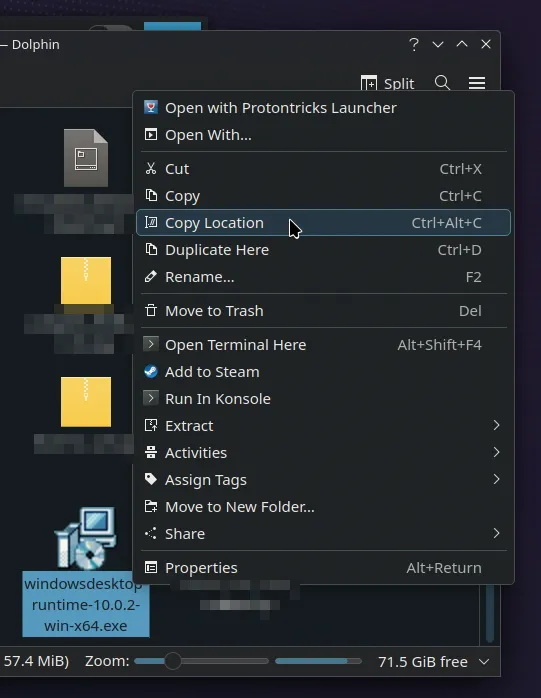
- We’ll have to temporarily replace the configuration so we can install it in the prefix.
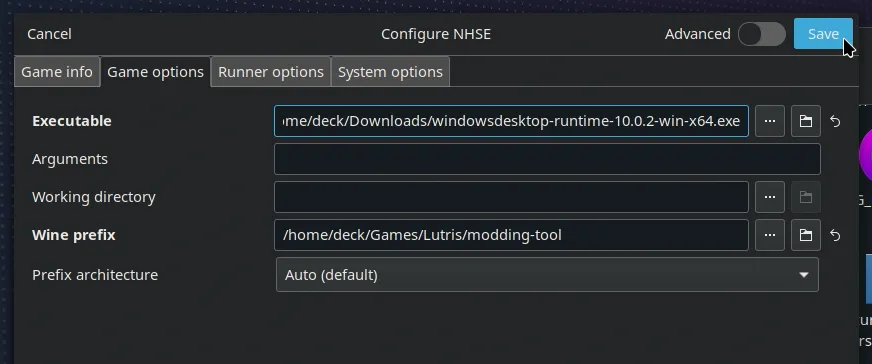
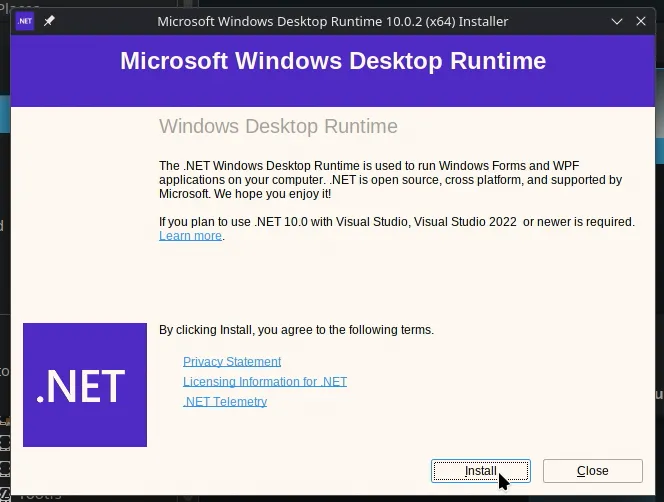
- Run “NHSE”, which should now open the Windows Runtime Installer since we replaced that with it. Follow the prompts to install the Desktop Runtime to the prefix.
- Once installed, we should now configure once again to link back to NHSE’s executable.
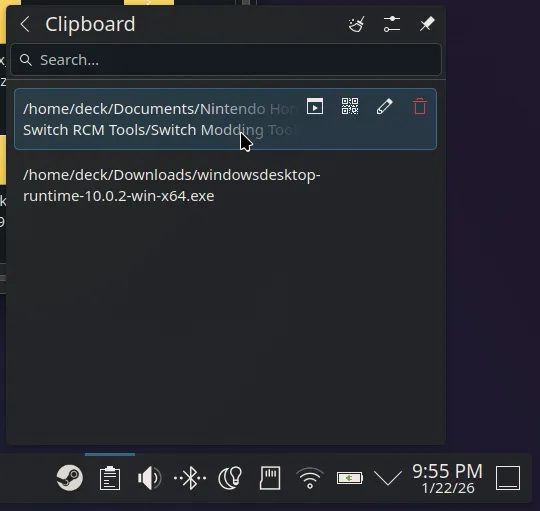
- Now we can run! You should now see NHSE show up. Hurray! We’re almost done.
Running NHSE
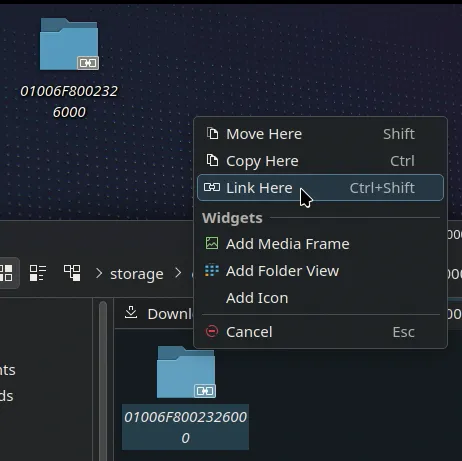
Section titled “Running NHSE”- Next, we want to open a save file. If you’re running something like Eden, go to your save data location and go up a folder. Then for easy access, click and drag to Copy Here or Link Here for your save file on the Desktop.
- On NHSE, click to open the file prompt. If you copied/linked your save file when this window was already open, hit F5 to refresh. Then go to your folder and open main.dat
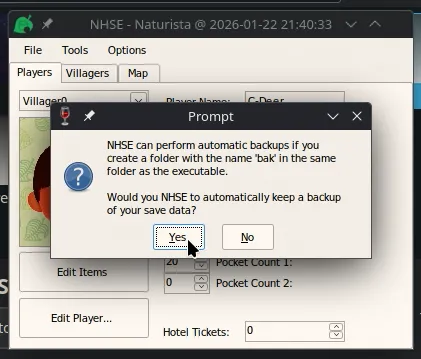
- You’ll be asked if you want saves to be backed up. I recommend hitting Yes.
- And one Last thing!! This is important. If you click on the buttons like Edit Player…, you might notice the app crashing.
- We’ll have to go to winecfg and change the Windows type to Windows 8.1. I don’t know why it’s unstable on Wine’s Windows 10.
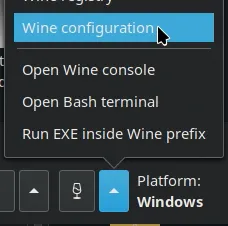
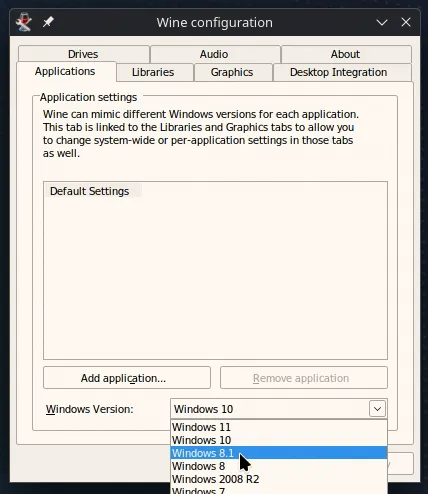
- But… if you now re-run NHSE with this new config… You should now be able to save edit. Hurray!
Have fun save editing ACNH on your Steam Deck or Linux PC!